Facebook Ads for Print on Demand Beginners: Smart Budgeting and Targeting Tips to Boost Sales

Explore how to set the right budget and find the perfect audience with Facebook Ads tailored for your print on demand business. Ready to grow your sales without wasting ad spend? Let’s break down what works and what doesn’t.
For more strategies on growing your print on demand venture check out How to Start Print on Demand Business.
When you’re starting with print on demand, Facebook Ads might feel tricky at first. The key to success isn’t throwing money at ads it’s about setting a smart budget and knowing exactly who to target.
Getting these right boosts your ad performance and gives you more return on your investment.
Knowing where to spend and who to speak to takes the guesswork out of advertising your products. This post will guide you through practical steps to budget wisely and pinpoint your audience so you don’t waste dollars and end up with better sales.
Ready to get your ads working hard for your print on demand business? Let’s get into it.
Understanding Facebook Ads for Print on Demand
If you're launching a print on demand (POD) business, Facebook Ads should be on your radar early.
They offer a powerful way to reach potential buyers who might be scrolling casually but are actually the perfect match for your products.
Before diving into budgeting and targeting strategies it's key to grasp how Facebook Ads work and why they're essential for making your POD store visible in a crowded market.
Basics of Facebook Ads
Facebook Ads come with several features that let you tailor your campaigns to meet your business goals.
Here’s a straightforward way to understand the essentials:
- Ad Types: Facebook offers different ad formats including image ads, video ads, carousel ads (which show multiple products in one) and collection ads (great for showcasing a product range). For POD sellers carousel ads can be highly effective to display various designs or product types within a single ad.
- Placements: Your ads can appear not only on Facebook’s News Feed but also on Instagram, Messenger and Audience Network. You can manually choose where your ad shows or allow Facebook to optimize placement automatically based on where your ad might perform best.
- Objectives: Facebook structures ads around objectives like brand awareness, traffic, conversions and sales. As a POD business your focus should be on objectives like conversions and traffic to drive visitors to your product pages and ultimately boost sales.
Think of Facebook Ads like a toolbox. Each ad type and placement is a different tool meant for a specific task.
Knowing when and how to use each one sets the foundation for running successful campaigns that connect with the right buyers.

Photo by Pixabay
Importance of Facebook Ads in POD Business
Why should you bother with Facebook Ads if you’re selling print on demand products? The answer lies in targeted reach and visibility.
- Reach Your Ideal Customer: Facebook Ads allow you to zero in on customers by their location, age, interests and even behaviors. For a print on demand seller this means you can promote a quirky cat shirt only to cat lovers or niche gamer designs only to people who follow gaming pages.
- Boost Visibility: Without ads your products might get lost in the sea of competitors. Ads place your designs right in front of people who are more likely to buy increasing your brand’s presence and sales opportunities.
- Scale with Budget Control: Whether you’re just starting or ready to scale, Facebook Ads let you start small. Even a modest budget can bring in clicks and sales if you target well.
One standout benefit is the feedback loop Facebook offers. You can measure ad performance daily, tweak your approach and see real-time results crucial for growing your POD business efficiently.
For a deeper look at launching your POD business visiting How to Start Print on Demand Business can expand your toolkit further.
A solid understanding of these basics empowers you not just to run ads but to run winning ads saving money and boosting sales as you grow your print on demand store.
For more about boosting your Facebook ad results consider insights from How to Run Facebook Ads: A Complete Guide which walks through ad types, costs and setup specifically.
This section sets you up with the core knowledge to optimize your time and budget on Facebook Ads for your POD business.
Next up we’ll break down how to smartly budget your ad spend without wasting money.
Setting the Right Budget for Facebook Ads
Before you start pouring money into ads, setting the right budget for your Facebook campaigns is crucial especially when you're selling print on demand products.
Your budget isn’t just a number; it’s a plan that aligns with your sales goals, campaign length and expected return.
Getting this part right helps you avoid wasting money and keeps your ads running long enough to gather meaningful data.
Let’s break down how to create a practical Facebook Ads budget that sets you up for smart spending and solid results.
Determining Your Ad Spend
The best place to start is knowing how much you can afford to invest and what you expect in return.
Think of setting your ad spend like planning a road trip: you need to know your destination (business goals), how far it is (sales targets) and how long you'll be driving (campaign duration).
Here's how to calculate your initial budget:
- Identify your sales targets. Decide how many print on demand products you want to sell in a set period. For example, if you want to sell 50 shirts in a month, start with the price per shirt and the profit margin.
- Set your cost per acquisition (CPA). This is how much you’re willing to spend to get one sale. A typical starting point for POD can range anywhere from $5 to $20 depending on your product price and market.
- Calculate total budget for the campaign length. Multiply your sales target by CPA. For example: 50 sales × $10 CPA = $500 budget for the month.
- Factor in testing. Since Facebook requires some budget to learn who responds best, reserve at least 20-30% of your total budget for initial testing different audiences or creatives.
This method keeps your spending grounded in your actual business needs, avoiding the trap of guessing a random budget or overspending before you see results.
Budgeting Strategies to Maximize ROI
Once you've set your initial budget it’s time to choose how you want to pace your spending.
Facebook offers two main options: daily budgets and lifetime budgets. Each has its own advantages depending on your goals and level of control.
- Daily Budgets: Set a fixed amount you spend each day. This keeps your spend consistent and is ideal if you want steady traffic over time. It’s easier to control spending but might limit Facebook from fully optimizing your campaign if the budget is too low.
- Lifetime Budgets: Allocate a total budget for the entire campaign duration. Facebook then distributes your budget based on when and where your ads perform best. This option allows for flexible spending but be sure to set clear campaign dates.
Don’t forget to watch your campaigns closely. Use Facebook Ads Manager to monitor key metrics daily or weekly and adjust budgets based on performance:
- Increase budgets on high performing ads to squeeze more sales.
- Pause or reduce spend on campaigns or audiences that show poor results.
- Experiment with small budget changes rather than big jumps to avoid overspending.
Thinking of budgets like a garden helps here you tend to what’s flourishing and pull back on what’s not growing.
Avoiding Common Budgeting Mistakes
Beginners often trip over some simple budgeting mistakes that can drain their funds or stall their campaigns.
Here’s what to watch out for:
- Overspending upfront: Throwing a big budget at ads without testing can lead to waste. Start small, test various audiences and increase spend gradually as you learn what works.
- Setting unrealistically low budgets: If your budget is too low Facebook won’t have enough data to optimize your ads. A tiny daily budget might limit reach and prevent your campaign from gaining traction.
- Ignoring campaign length: Short campaigns with large budgets might not have enough time to perform. Facebook’s algorithm needs time to find the right people ideally 7–14 days.
- Not monitoring spend: Budgeting set and forget is a mistake. Check your ads routinely to stop spending on underperforming campaigns.
Avoid these pitfalls by planning your budget carefully, monitoring results and adjusting quickly.
This keeps your print on demand ads efficient and effective.

Photo by olia danilevich
For a broader look at marketing strategies tailored for print on demand, including budgeting tips check out these Effective Print on Demand Strategies.
They offer helpful insights to make every dollar of your ad spend count.
Mastering Targeting Techniques for Print on Demand
When it comes to running Facebook Ads for your print on demand shop getting your targeting right can make all the difference between spending money that goes nowhere and generating steady sales.
Facebook’s ad platform offers a variety of tools and options to help you connect with exactly the people who want your unique designs.
This section breaks down how to identify your ideal customers and narrow down your audience so every ad dollar moves you closer to profit.
Defining Your Target Audience
The starting point for smart Facebook Ads is knowing who you want to reach. For print on demand your ideal audience depends on your niche and the product designs you offer.
Begin by thinking about who benefits most or who would love your styles.
Use Facebook’s audience tools to segment your audience by:
- Demographics: Age, gender, location and language. For example if you sell fitness themed apparel you might target adults 18 to 35 in urban areas.
- Interests: Hobbies, pages they follow and groups they belong to. Fans of specific fandoms, sports or lifestyle choices can be great targets.
- Behaviors: Purchasing habits, device usage or travel patterns.
Facebook’s Audience Insights tool helps by letting you analyze the characteristics of people who already engage with your page or competitors.
You’ll find valuable clues to pinpoint exactly who is likely to buy your print on demand items. Then break your audience into smaller more specific groups.
This segmentation lets you test different ad sets without throwing everything into one broad mix.
Trying different combinations of demographics, interests and behaviors will refine your reach and improve conversion rates.
Keep your focus sharp and avoid wasting budget on unqualified clicks.
Utilizing Custom Audiences and Lookalike Audiences
Custom Audiences are one of the most effective ways to target Facebook Ads for print on demand businesses.
If you already have a list of customers, site visitors or email subscribers, upload that data to Facebook and create ads specifically for people who know your brand.
Why is this powerful? These people are already warmed up they’ve interacted with your designs or store before making them much more likely to buy again.
Lookalike Audiences take this a step further by finding new people who share similar traits with your existing customers.
Facebook uses patterns in demographics and interests to build this audience helping you reach fresh prospects without the guesswork.
Here are a few wins from using these:
- Retarget visitors: Bring back window shoppers who didn’t purchase.
- Upsell current customers: Offer new or related POD designs.
- Find new fans: Reach people similar to your best customers at a low cost.
A good strategy is to run ads targeting your custom audience while testing lookalikes at different matching percentages (from 1% to 10%) and see which performs best.
Interest and Behavior Based Targeting
Beyond your core audience you can use Facebook’s detailed demographics, interests and behaviors to get really specific about who sees your print on demand ads.
Ask yourself what kind of people would buy your designs and then:
- Select interests that closely align with your niche whether it's "vintage fashion," "dog lovers," or "gaming accessories."
- Choose behaviors like "Online buyers," "Frequent travelers" or "Engaged shoppers" which target active consumers.
- Drill down with demographic options such as education level, job title or life events like upcoming birthdays, to tailor messaging.
Combining these elements creates laser focused ad sets that perform well for POD businesses.
For example, if you're selling eco-friendly POD products, target users interested in "sustainability," "organic living," and "environmental activism."
This level of fine-tuning lets you serve the right message to the right person and improve your ads return on investment.

Photo by Luis Quintero
For a comprehensive look at starting your print on demand journey with clear audience focus check out What Is Print on Demand and How To Start a Business (2025).
This guide dives into audience definitions and product ideas that can shape your ad strategy.
By mastering these targeting tools, you’ll reach customers who not only click but buy making your Facebook Ads work as hard as you do.
Optimizing Facebook Ads for Better Results
Running Facebook Ads for your print on demand business is exciting, but success really comes from how well you optimize your campaigns.
You can’t just set your ads and forget them you need to actively track, test and scale to keep the momentum going.
This section walks you through key steps to make sure every dollar you spend on Facebook Ads boosts your sales and grows your customer base efficiently.
Tracking Key Metrics and KPIs
Think of your ad campaigns like a car: you need a dashboard to know how fast you're going if the engine is running well or if you’re wasting fuel.
Facebook Ads provide a rich dashboard full of metrics but some stand out as essential for beginners in print on demand:
- Click-Through Rate (CTR): This shows the percentage of people who saw your ad and clicked on it. A higher CTR means your ad catches attention and sparks interest.
- Conversion Rate: This metric tells you how many clicks actually turn into sales not just visits. For POD, it’s one of the strongest indicators of how well your ad and landing page work together.
- Cost Per Acquisition (CPA): How much you spend to get one sale. Keeping CPA low while maintaining sales volume is the sweet spot.
Other metrics like Frequency (how often the same person sees your ad) and Return on Ad Spend (ROAS) can also guide you but focusing on CTR, conversion rate and CPA gives you clear signals about what’s working or needs fixing.
Tracking these metrics daily or weekly lets you spot trends early. Is your CTR dropping? Maybe your creative is stale. CPA climbing? Your targeting or offer might need tweaking.
Set up Facebook Ads Manager reports and use automated rules to keep tabs without constant checking.
A/B Testing and Creative Optimization
Ever heard that saying “Don’t put all your eggs in one basket”? That’s the principle behind A/B testing your Facebook Ads.
Testing different ad versions lets you find the best performing combination of images, videos, headlines and target audiences for your print on demand store.
Here’s why A/B testing matters:
- It removes guesswork by backing decisions with data.
- It helps you discover what resonates best with your audience like a particular color, slogan or product angle.
- It boosts ROI by focusing budget on winners and cutting losers early.
You could test:
- Creative elements: Different artwork or product photos.
- Copy: Headlines, descriptions or call to actions.
- Audience segments: Age groups, interests or behaviors.
Start by testing one variable at a time to see the direct impact. Run your test for at least a week to gather enough data.
Then, apply learnings to future campaigns. Facebook itself offers a built-in A/B testing feature that simplifies this process.
For print on demand sellers, tweaking designs, messaging and offers can uncover surprising winners.
Imagine discovering that your comedy themed shirts get more clicks with a video ad than a static image that insight could transform your approach.
Scaling Successful Campaigns
When you find a campaign that works—CTR is solid, conversions are steady, and CPA is within your target it’s time to think about scaling.
The goal is to increase your ad reach and sales without wasting budget or lowering performance.
Two main scaling strategies work well for Facebook Ads:
- Vertical Scaling: Gradually increase your existing campaign’s budget. Start by bumping up daily spend by 10-20% every few days and watch results closely. This lets Facebook’s algorithm adjust smoothly without shocking it.
- Horizontal Scaling: Expand your audience or duplicate winning ads with slight variations. Think of it like planting seeds in new soil try similar but distinct target groups or test new creatives based on your best performers to reach fresh buyers.
Avoid jumping your budget up too fast or changing too many things at once. That can confuse Facebook’s optimization process and send CPAs soaring. Also keep a close eye on your key metrics when scaling.
Scaling is about balance. You want to grab as many sales as possible while keeping efficient spend.
This post on scaling Facebook Ads explains different techniques that could be a helpful next step to explore.
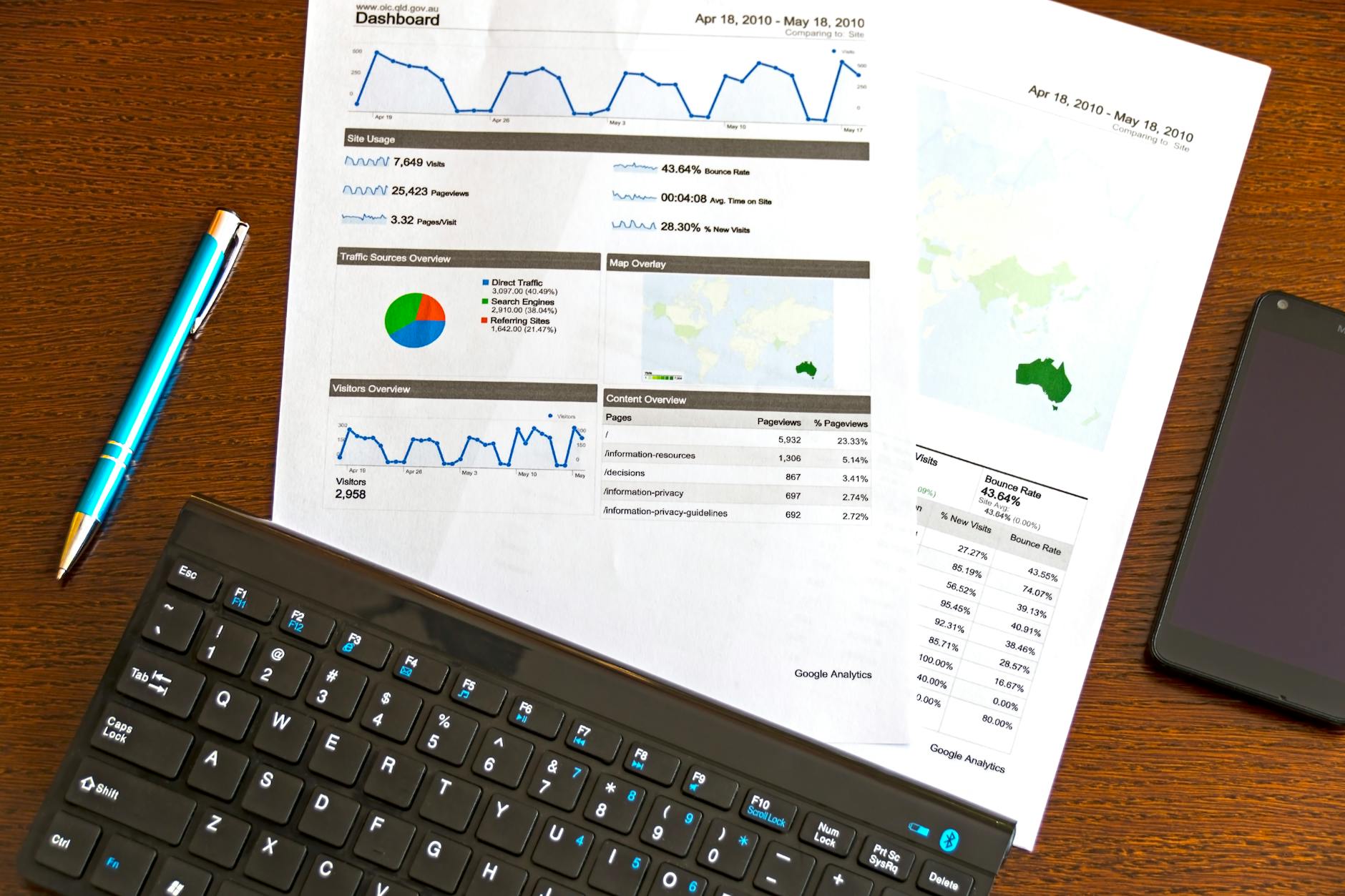
Photo by AS Photography
Optimizing your Facebook Ads regularly by monitoring core metrics, testing creatives and carefully scaling budgets transforms your print on demand campaigns from guesswork into a system that reliably drives sales.
If you want more practical advice on Facebook Ads for POD guides like Print On Demand Facebook Ads offer thorough tips tailored to sellers like you.
Conclusion
Budgeting and targeting are the backbone of successful Facebook Ads for your print on demand business. Setting a clear budget aligned with your sales goals helps you avoid overspending and gives your campaigns enough runway to perform.
Targeting the right audience means your ads reach people who actually want your designs, turning clicks into customers.
Put these strategies into practice—start small, test, adjust and scale smartly. Your print on demand ads will waste less money and deliver better returns.
For a helpful resource on managing challenges that come up with your POD store, like handling customer feedback, check out Dealing with Negative Print on Demand Reviews.
Applying what you’ve learned here can move your ads from a shot in the dark to an engine driving steady growth. Ready to take your print on demand business further? The right budget and targeting choices will get you there.












0 Comments