How to Size and Place Print on Demand Designs for Mugs, Shirts and Posters

Getting the right size and placing your artwork in the perfect spot on mugs, shirts or posters isn't just about making things look good. In print on demand tiny errors can turn a great design into a dud that drives away buyers or racks up returns.
Too small and your design goes unnoticed. Too large and it can look sloppy or even get cut off in production.
Whether you're aiming to boost sales or simply want every mug and tee to hit that "add to cart" moment understanding sizing and placement makes a real difference.
We'll break down the essentials so your products pop every time. If you're new to this check out the Print on Demand Explained guide for a full look at how the business works.
Understanding the Basics: Sizing & Placement Across Product Types
Getting the right look on mugs, shirts or posters starts with size and placement.
These factors aren't just technical they shape how customers see your brand, rate your product and even whether they come back to buy again.
Each print on demand item comes with its own quirks, so a “one size fits all” approach falls flat. Ready to make your designs stand out (not stick out)? Here’s what you need to know.
Why Size and Placement Matter for Print On Demand Products
Think of design placement as your product’s handshake it’s the first impression that can win people over or send them packing. When sizing or positioning is off, customers notice.
Maybe the cute quote on a mug is hidden by the handle or an oversized tee graphic is bunched up near the armpit. These little flaws spike return rates and feed negative reviews fast.
For shirts too small chest logos often look awkward while a design stretched too close to the seams can be uncomfortable or wear out quickly in the wash.
Posters with off-center images lose that gallery-ready feel, and a mug with a design wrapping around the edge risks blurring or incomplete printing.
It’s not just about looks practicality counts.
Poor sizing and placement can lead to:
- Disappointed buyers who don't get what they expect
- Bad reviews and the headaches that come with them
- Fewer repeat customers which means more work to attract new ones
On the flip side, perfectly sized and placed designs create that “wow” effect the one that gets your product shared, gifted and reordered. For more on dealing with critical feedback see Print on Demand Negative Reviews.
Common Measurement Standards and Print Areas
If you want your print on demand designs to look sharp every time, you need to follow some measurement basics.
Each product type has an ideal zone where your artwork should live.
Here’s a cheat sheet covering mugs, shirts and posters used by most POD platforms:
Mugs
- Standard mug (11oz): Safe print area is typically 8.5" x 3" (21.6cm x 7.6cm)
- Handle gap: Keep designs at least 0.25" (0.6cm) away from the handle edges to avoid cutoffs
Shirts
 Photo by Mr. Mockup
- Adult unisex tees: Typical print area is 12" x 16" (30.5cm x 40.6cm) centered on the chest
- Kids’ shirts: Scale down to around 7" x 9" (17.7cm x 22.9cm)
- Rule of thumb: Place main designs about 3" (7.6cm) below the collar for a front chest graphic
Posters
- Standard sizes (e.g., 12"x18", 18"x24", 24"x36"): Leave a 0.25" (0.6cm) border for framing
- Full bleed printing: Stretch design all the way to the edge, but remember that anything close to the edge might get trimmed
Always check your specific print provider’s templates each one might differ slightly.
If you’re balancing multiple products consider downloading their mockups to test your designs before launch. This helps you avoid wasted prints and customer complaints.
If you want to understand how sizing can affect profitability, the Print on Demand Profitability Tips post breaks down how errors here cut into your bottom line.
Design Considerations for Visual Balance and Readability
Sizing isn’t just about fitting your art into a template it’s about making sure your design feels right on the product.
Here’s what makes designs pleasing to the eye (and customer):
- Contrast: Use dark designs on light backgrounds (and vice versa). On shirts, high-contrast designs are readable from a distance. For mugs, your design should pop even when someone’s holding it by the handle.
- Alignment: Centering artwork usually works best, but sometimes an off-center placement can make a statement (think pocket-size graphics for shirts or asymmetrical poster art).
- Interaction with edges: Avoid putting key elements too close to the seams, handles or borders. It’s like cropping someone out of a photo—important details may vanish.
- Product contours: Curved surfaces (like mugs) can distort your image. What looks straight on screen may curve around the mug face. Stick with clear, bold graphics for rounded items.
When in doubt, look at your product from the shopper’s viewpoint. Would you wear it? Would you want to see that poster on your wall? Does the message read smoothly at arm’s length? If not tweak it.
Visual harmony builds trust and makes products memorable.
If you’re curious about the true cost of print on demand mistakes, including design reprints and returns check out Hidden Costs of Print on Demand.
Master sizing and placement and you’re on your way to POD designs people love showing off.
Perfect Placement Techniques for Top Selling POD Items
Getting the placement just right on your print on demand products is an art in itself.
Whether it's a mug, a shirt or a poster knowing exactly where to position your design makes all the difference.
Placement affects not only how your product looks but how well it sells. Customer satisfaction often hinges on visibility, alignment and how natural the design feels on the item.
Let's walk through the key techniques for each product type that consistently turn casual browsers into buyers.
Designing for Mugs: Wrapping, Centering, and Scaling Artworks
Mugs pose a unique challenge since they aren't flat canvases. Your design has to wrap around a curved surface and remain visually balanced from several angles.
One major consideration is accommodating both left- and right-handed users.
This means planning where the design faces by default when the mug is held in either hand.
Here’s how to nail your mug design placement:
- Center the focal point: Aim to center your main design or message on the side opposite the handle. That way the design faces outward whether the mug is held in the right or left hand.
- Consider wrapping art: For designs that stretch around the mug, make sure it tapers off smoothly before reaching the handle. Avoid placing critical text or intricate details near the handle gap to prevent distortion.
- Scale proportionally: Using the standard safe print area of roughly 8.5" x 3" scale your artwork so it fits comfortably within this rectangle without crowding edges.
- Test visibility: Imagine the mug being rotated. Is your artwork clear and readable from multiple angles? Minimal design distortion ensures the artwork stays attractive not warped.
- White space matters: Don't feel compelled to fill every inch. Good margins let the design breathe and reduce chances of clipping or blurring during the printing process.
By keeping these points in mind you’ll create mugs that look good on screen and in hand reducing returns and frustration.
For deeper marketing strategies that can help you sell more mugs check effective Print on Demand Marketing Tips.
Optimizing Shirt Designs: Front, Back, and Sleeve Locations
T-shirts provide more canvas real estate but also come with sizing, placement and fit challenges that impact how a design reads.
Choosing the right placement and size depends on shirt type, intended audience and design elements like text or graphics.
Keep this advice in mind for shirt design placements:
- Front chest placement: The classic spot is centered on the chest about 3" below the collar. This tends to work well for logos, slogans, or illustrations.
- Imprint size by shirt size: Larger shirts need proportionally bigger designs to look balanced. For adults a 12" x 16" print area usually works; for kids, scale it down to around 7" by 9".
- Back designs: These should typically be larger than the front think half the shirt’s width with the top edge about 3" below the collar. This creates a strong visual impact without overwhelming the shirt.
- Sleeves and side placements: These are great for subtle branding like logos or short text. Sleeve prints are generally smaller (3" to 4" wide) and work well for customization.
- Align text and graphics carefully: Centered text feels balanced, but you can offset or wrap designs slightly for a dynamic look. Always preview to avoid awkward cuts or deformation near seams.
Good placement boosts wearability and style.
And don’t forget handling print on demand returns smartly can save your reputation when there’s a misprint or sizing issue.
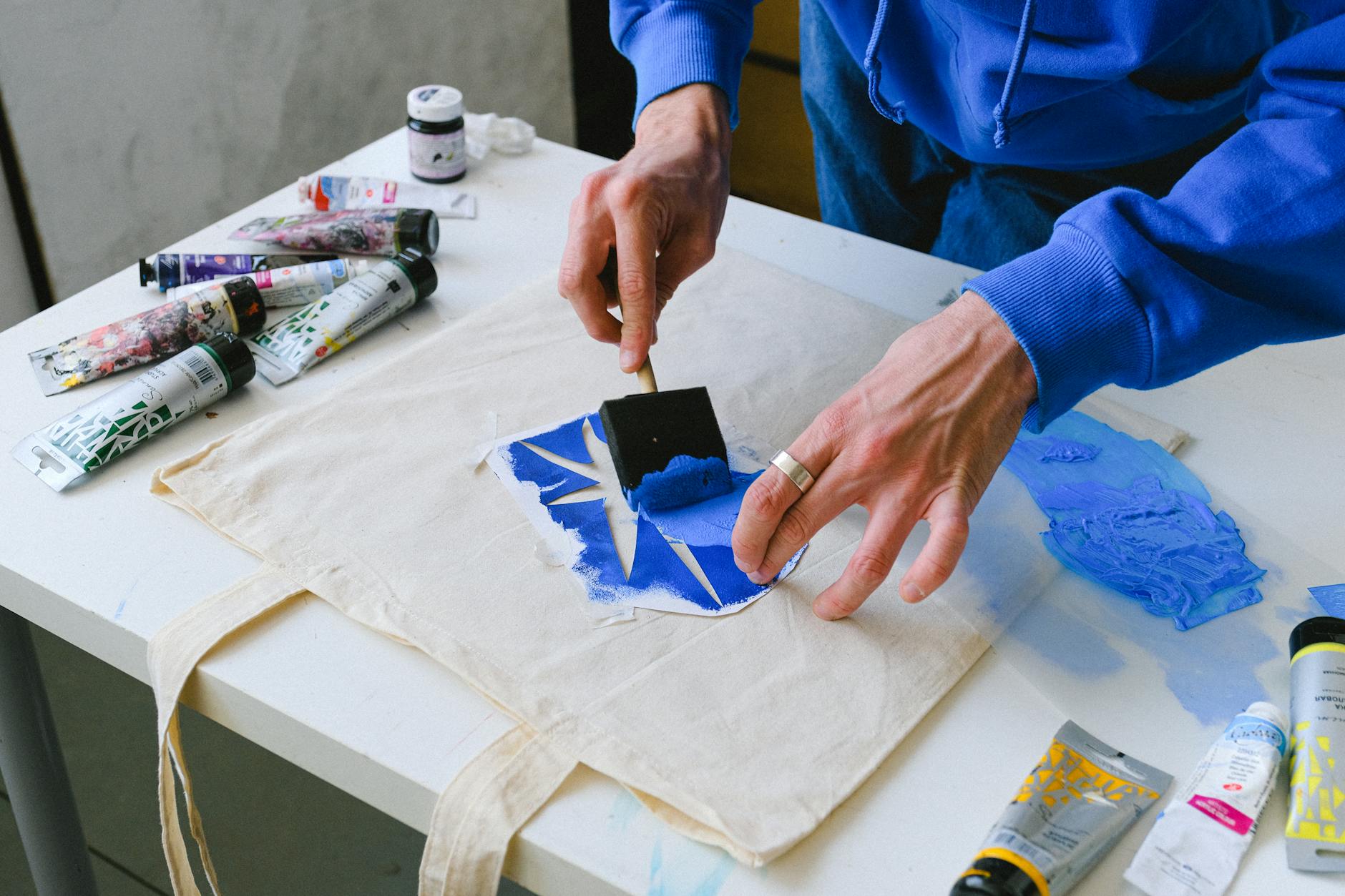
Photo by Anna Shvets
Poster Perfection: Margins, Orientation and Impactful Visual Flow
Posters might seem straightforward but placing designs with impact means understanding margins, orientation and flow.
A well-placed poster design catches the eye and communicates clearly in any size, from small prints to large wall hangings.
Focus on these placement elements for posters:
- Safe margins and bleed: Standard posters usually need a 0.25" margin to avoid trimming key details when framed or cut. Bleed areas extend artwork beyond the trim line to ensure color fills right to the edge.
- Orientation matters: Landscape, portrait or square orientations change the flow of your design. Match your artwork orientation with the poster size. For instance a vertical design works best for 24"x36" prints while horizontal art suits panoramic spaces.
- Center the focal point: Position the main visual or text where the eye lands first generally the upper third or center of the poster. This ensures the message grabs attention immediately.
- Balance visuals and empty space: Don’t overcrowd your poster. Let essential elements stand out by balancing design and white space. This avoids clutter and strengthens your message.
- Scale smartly across sizes: Designs often need resizing to fit different poster dimensions. Ensure your graphics hold up visually and text remains readable when scaled up or down.
Taking time to perfect these details on posters leads to professional, gallery worthy products that buyers want to show off.
Getting your designs to look great at first glance means putting placement first.
Each product has its quirks but with these tips, your print on demand items will consistently feel spot on—spurring more sales and reducing headaches. Ready to take your POD designs to the next level?
For actionable marketing strategies that complement your perfected designs check out this detailed marketing guide for print on demand.
Tips, Tools & Testing Methods for Flawless Production
Ensuring your designs look perfect on mugs, shirts and posters before they hit the customer’s hands can save you time, money and headaches.
This section covers practical ways to preview, test and refine your print on demand products.
From digital mockups to real sample orders, and learning from customer feedback you’ll get the tools and methods that keep your production smooth and your buyers happy.
Using Mockups and Digital Tools to Preview Designs
Mockups are your first line of defense against design mishaps. They let you see how your artwork fits on a shirt, mug or poster without spending a dime on actual products.
Using the right tools not only saves costs but also speeds up your design process.
Here are some recommended platforms with a mix of free and budget-friendly options:
- Printify Product Creator: This built-in mockup generator is handy for checking your design placement specifically within their platform’s product range. Since many POD sellers use Printify this tool saves double work.
- Smartmockups: Offers realistic, easy to use mockups for various products including apparel and home goods. The free plan lets you create decent previews while pro options unlock bulk uploads.
- Freepik Mockups: Great for stylish, customizable templates. The site combines free and premium mockup files letting you test how your design sits on flat or curved surfaces.
- BulkMockup: Focuses on bulk automation, perfect if you manage multiple stores or products. You can quickly generate hundreds of previews to scan for placement issues.
These tools help you verify:
- Proper size so designs don’t look too small or stretched
- Alignment that keeps artwork centered or placed exactly where you want
- Visibility on product curves such as mug surfaces or shirt folds
Using mockups saves you from releasing products with awkward placements that can lead to refunds or poor reviews.
Once your virtual preview looks spot-on you’re one step closer to flawless prints.
The Power of Sample Orders: Catching Errors Before Customers Do
Seeing is believing especially when it comes to print quality and placement. Digital previews can’t catch every problem. That’s where ordering samples shines.
It’s tempting to skip this step to save money and time but sample orders show exactly how your design appears on the real product. You can assess:
- Color accuracy compared to your digital design
- Sharpness of prints and edge clarity
- Size scale in relation to product dimensions
- Fabric feel or mug finish that images don’t capture
Most print on demand platforms offer discounted sample orders. For example Printful gives a 20% discount on samples so you can test new ideas without breaking the bank.
Printify has a simple sample order process that fills your shipping address automatically for convenience.
Ordering samples lets you experience your products firsthand and tweak sizes or placements before opening your store to buyers.
Think of it as a dress rehearsal better to catch errors now than after customers start posting complaints.
Learning from Order Issues and Customer Feedback
Even with the best prepared mockups and samples, occasional issues will pop up once your products reach customers. These moments become valuable learning opportunities.
Monitoring order problems and customer reviews helps you refine your production for higher satisfaction and fewer returns.
Common errors to watch for include:
- Misaligned prints near seams or handles
- Unexpected cropping of parts of designs
- Color fading or off shade prints
- Incorrect sizing relative to product dimensions
Adjust your design templates or communicate better with your printing partners based on this feedback.
The blog post on Print On Demand Order Issues explains how to identify recurring problems and set up processes that prevent them.
Customer feedback is a gold mine. Even negative comments provide clues on how to improve placement, sizing and production workflows.
Staying responsive and adapting quickly not only boosts product quality but builds customer trust and loyalty in a competitive market.

Photo by imsogabriel Stock
Getting these steps right sets you up to avoid common print on demand pitfalls.
Looking ahead combining digital tools with real world testing and learning from your buyers creates a smooth cycle that produces well-placed, well-sized products every time.
It’s not just about making a product it’s about making one that fits perfectly in your customers’ lives.
For deeper insights on managing order errors and adaptations don’t miss the thorough guidance on Print On Demand Order Issues.
Conclusion
Getting your design size and placement right is key to standing out and succeeding in print on demand.
Small tweaks to fit the product’s shape and print area can boost how professional and appealing your items look which means fewer returns and more happy customers.
Don’t overlook testing with mockups and samples these steps catch issues early and keep your products consistent. Keep refining as you learn what works best for mugs, shirts and posters.
For a strong start or fresh ideas take a look at the Print on Demand Startup Guide to keep your business moving forward.












0 Comments